Agents and keys
One agent per job
A research agent that reads, a writer that posts, a nightly digest. Each has its own cap, its own permissions and its own line in the log, so you can stop one without touching the rest. Add another under Agents on Profiles.
Connecting an agent
Add https://okaybot.dev/mcp to its MCP servers (Getting started has
the lines to paste). On its first call your browser opens: pick the agent and press Connect.
Every machine it is connected on is listed under Access in its panel on Profiles, with Disconnect beside each.
Keys, for harnesses that cannot sign in
Under Access in the agent's panel, press Create a key. It is shown once, under Connect another agent, in your harness's own spelling, so copy it then. Here is where it goes:
The same key is the bearer token over HTTPS. Lost it? Rotate makes a new one and the old one stops working at once. A key only opens Okaybot: it never reaches X.
Permissions
Set on each account's panel on Profiles, not the agent's: every agent has Read and Write there, each No, Yes or Ask me. Approvals and permissions has the detail.
The daily cap
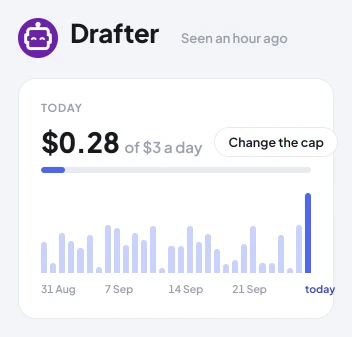
The most the agent may spend on X in a day, in dollars, reset at midnight UTC. It starts at $1. A read over the cap waits for you. An approved post over the cap is held for you, and goes out only when you send it again.
Switching it off
The switch beside its name. Off is immediate: every call it makes is refused until you switch it back on. Emergency stop on Home does the same for every agent at once, and holds anything scheduled.
Removing an agent
Remove agent, at the foot of its panel. Its connections and key stop working. What it did stays in the log.